Addedit
There's the ability to add or edit an item.
These options are only available when the data source is 'Save to this web part' or 'Get data from a SharePoint list'.
There will be 3 options to choose from.
Add
The Add button will allow to add an item to the current carousel. (If it's 'Save to this web part, it will add locally. If connected to a list, it will add to the list)
The panel that will open to add the item can change depending on the type of data.
If connect to 'Save to this web part' or to a list created through carousel (a native list), it will open a custom panel that will allow the user to directly change the values of a given position.
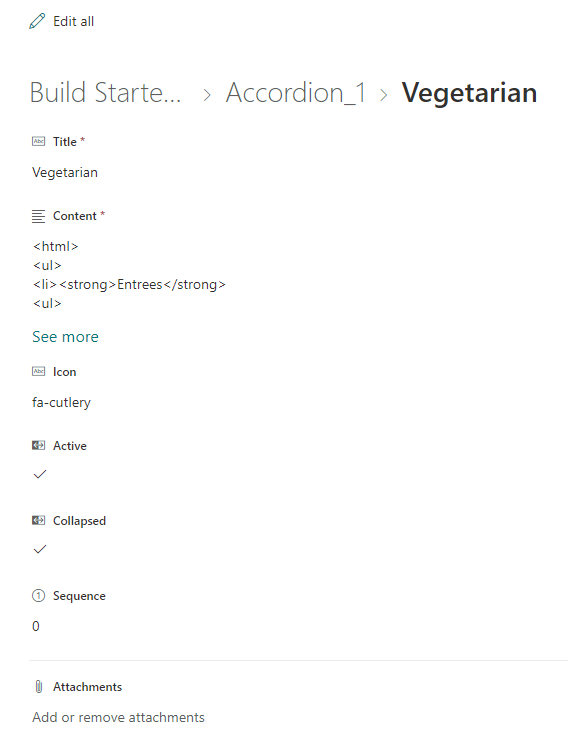
In case the user connected to a custom list, the add button will open a sharepoint add form, which allows to change the values of the list columns.
Edit
The Edit button functions similarly to the Add button, openning the same panels depending on the scenarios talked previously, the difference here being that the fields will be already filled with the current item's data, allowing the user to edit directly through the web part.
Custom Panel
Example of Custom Panel

SharePoint Panel
Example of SharePoint Panel: